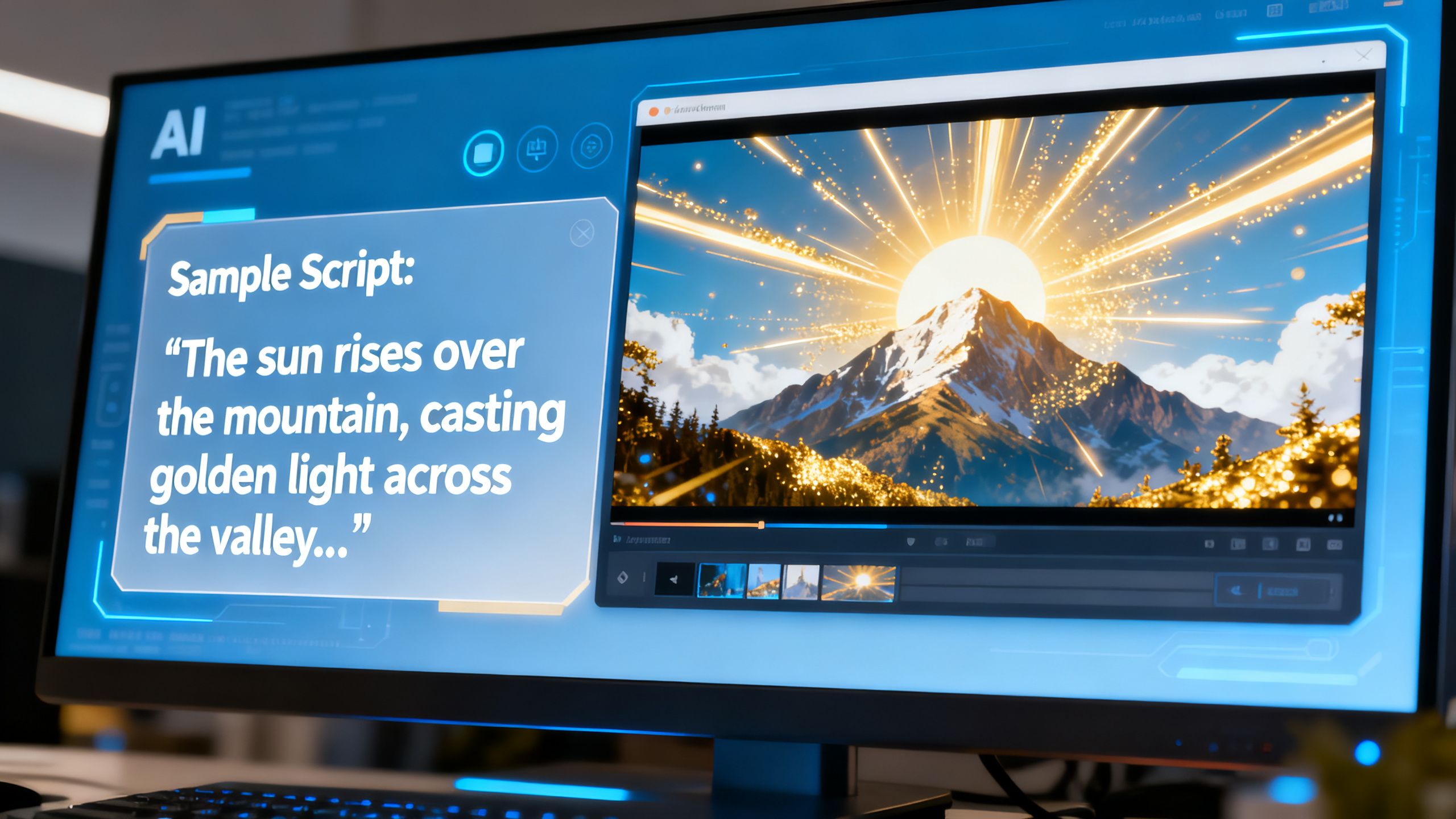
The world of making videos is changing fast, and Kling AI is right in the middle of it. This tool lets you create videos just by typing what you want, which is pretty amazing. It’s like having a magic wand for video production, making it easier for anyone to bring their ideas to life. We’ll explore what Kling AI can do, how to use it best, and where it might take us.
 TechMediaArch.com
Key Takeaways
Kling AI allows users to generate videos from text descriptions, simplifying the video creation process.
Detailed and specific text prompts are important for achieving desired video styles and tones with Kling AI.
Kling AI can create various video types, including realistic footage, animations, and bringing still images to motion.
Advanced features like image prompts and style blending help users create unique and complex video content.
Patience, experimentation, and continuous learning are vital for mastering Kling AI and producing optimal results.
Unveiling The Power Of Kling AI
Understanding Kling AI's Core Functionality
Kling AI is changing how we think about digital content. It's a system built to generate video from simple text or images. Think of it as a digital artist that can paint moving pictures based on your descriptions. The technology behind it uses advanced AI models, drawing from work on image generation and video synthesis. This means it can create visuals that look incredibly real or stylized, depending on what you ask for. It’s a big step forward from earlier AI tools that could only manage basic animations or static images.
Accessing The Kling AI Platform
Getting started with Kling AI is pretty straightforward. You can access it through a web portal, making it available to anyone with an internet connection. The platform is designed to be user-friendly, so you don't need to be a coding expert to use it. Kuaishou, the company behind Kling AI, has made it accessible for broad audiences. They even offer different subscription plans for users in mainland China, suggesting a focus on tailored features for different user needs. For global users, the web portal provides a direct way to experiment with its capabilities. You can find more details about its release and features on the KlingAI Release Notes.
A New Frontier In AI Video Generation
Kling AI represents a significant leap in what AI can do for creators. It’s not just about making videos; it’s about opening up new ways to express ideas visually. The system can produce longer video clips with smooth changes and detailed scenes, all from text prompts. This capability allows for more complex storytelling and visual concepts. It’s a tool that pushes the boundaries of digital media creation, making advanced video production more accessible. This is part of a larger trend where AI is transforming creative industries, making advanced tools available through platforms like openfuture.ai.
Exploring Kling AI's Diverse Video Generation Capabilities
 TechMediaArch.com
Kling AI isn't just a one-trick pony; it's a versatile tool that lets you create a wide range of video content. Think of it like having a digital film studio at your fingertips, ready to bring your imagination to life in motion.
Generating Realistic And Lifelike Videos
One of Kling AI's standout features is its ability to produce videos that look incredibly real. You can describe a scene, a person, or an action, and the AI works to render it with a high degree of fidelity. This means you can create content that feels authentic, whether it's a nature documentary clip or a dramatic scene. The improvements in image quality and natural movement mean less of that uncanny, slightly off feeling you might get with other tools. It's about making digital visuals that are convincing.
Creating Engaging Animated And Cartoon Content
Beyond realism, Kling AI also handles animated and cartoon styles with ease. If you have a story that calls for a more stylized approach, you can prompt the AI to generate content that looks like traditional animation or even modern cartoons. This opens up possibilities for children's content, explainer videos with a friendly vibe, or purely artistic projects. The system can adapt its output to match the aesthetic you're aiming for, making it a flexible tool for various creative needs.
Bringing Static Images To Life With Body Reconstruction
Kling AI offers a fascinating capability: taking a static image and giving it life through body reconstruction. This means you can upload a photo and have the AI animate it, making characters move or expressions change. It's a powerful way to repurpose existing visuals or create unique character animations without needing to draw or model them from scratch. This feature is particularly interesting for creating talking avatars or adding dynamic elements to still photography. You can explore how AI is changing content creation.
The system's ability to generate high-quality Full HD and even 4K videos from simple text or images is a significant step forward. It democratizes video production, making advanced visual storytelling accessible to a much wider audience.
Here's a look at what makes these capabilities stand out:
Realistic Motion: Kling AI focuses on natural movement, reducing common AI video issues like flickering or unnatural transitions. This makes generated scenes feel more grounded and believable.
Style Adaptability: The AI can switch between photorealistic outputs and various artistic styles, including animation and cartoon aesthetics, based on your prompts.
Image Animation: The body reconstruction feature allows static images to be animated, adding a new dimension to still visuals and enabling unique character-based content.
Quality Improvements: Recent versions have seen notable upgrades in color grading, lighting adjustments, and overall image clarity, contributing to more polished final videos.
Advanced Techniques For Enhanced Kling AI Creations
Utilizing Image Prompts For Visual Guidance
Sometimes, words alone don't quite capture the vision you have. When you need a specific look, color scheme, or mood, an image prompt acts as a powerful visual reference. Uploading a picture gives Kling AI a clear example to follow, making it easier to achieve your desired aesthetic. This is especially useful for replicating artistic styles or specific themes. Think of it as showing, not just telling, the AI what you want.
Combining Different Video Styles Seamlessly
Why limit yourself to a single style? Kling AI allows you to blend various video aesthetics within one project. You can transition from realistic footage to a cartoon style, or integrate animated elements into live-action scenes. This mixing and matching adds unique flair and narrative depth, making your videos more dynamic and engaging. It’s a way to direct your video with a variety of visual languages.
Iterative Refinement And In-Video Edits
Perfecting a video often takes a few tries. Kling AI supports this process by allowing you to refine generated content. Instead of starting over, you can make adjustments directly. This might involve tweaking character actions, altering expressions, or changing backgrounds. It’s like having a built-in editing tool that lets you sculpt the video step-by-step. This iterative approach is key to achieving polished results. You can find more on crafting specific prompts to guide these refinements.
Getting the exact output you want from AI video generation is a process. It involves understanding the tool's capabilities and using its features to guide the output. Don't be afraid to experiment with different settings and prompts. Each attempt is a learning opportunity that brings you closer to your creative goals.
Mastering Your Prompts For Optimal Kling AI Output
Getting the most out of Kling AI really comes down to how you talk to it. Think of prompt engineering as giving really clear instructions. It’s not just about saying what you want, but how you want it. The AI is smart, but it can’t read your mind. So, the more detail you give, the closer you’ll get to the video you pictured.
The Importance Of Detail In Text Prompts
When you write a prompt, try to be as descriptive as possible. Instead of a simple request like "a dog running," try something like "a fluffy golden retriever puppy with a bright red collar, joyfully chasing a yellow tennis ball across a sun-drenched meadow." This level of detail helps Kling AI understand the mood, the subject, and the action you're aiming for. It’s like painting a picture with words, giving the AI all the colors and shapes it needs. The more specific your prompt, the more unique and tailored your video will be.
Leveraging Keywords For Style And Tone
Keywords are your best friends when it comes to guiding the style and tone of your video. Want a vintage feel? Add "1950s film" or "sepia tone." Need something futuristic? Try "cyberpunk" or "neon glow." You can also influence the mood with words like "serene," "chaotic," or "whimsical." Experiment with different combinations to see how they change the output. For instance, asking for "a bustling city street in a watercolor style" will yield a very different result than "a bustling city street in a photorealistic style." You can even explore options for creating Ghibli-style images and videos if that fits your aesthetic.
The Power Of Sequential Prompting
Kling AI allows you to build upon previous instructions, creating a narrative flow. This is where sequential prompting shines. You can start with a scene, and then add subsequent prompts to introduce new elements or actions. For example, your first prompt might be "A lone astronaut planting a flag on a barren red planet." Then, you can add a second prompt like, "A strange, glowing alien creature emerges from behind a rock formation." The AI will connect these prompts, creating a story that unfolds logically. This technique is incredibly useful for developing more complex scenes and narratives, making your video creations feel more dynamic and engaging. You can even use this to transform images into dynamic scenes using AI tools.
Getting the perfect video often involves a bit of back and forth. Kling AI understands this. If the first generation isn't quite right, you don't have to start from scratch. You can provide feedback or make adjustments to refine the video. This could mean tweaking a specific action, changing a character's expression, or altering the background. It’s like having a built-in editing suite where you can make changes directly within the generated video, guiding the AI towards your desired outcome step by step. This iterative process is key to achieving polished results.
Don't be afraid to experiment with these advanced features. They are designed to give you more control and open up new creative avenues. Think of them as tools that allow you to sculpt your vision into reality with greater precision and artistic freedom.
Best Practices For Unleashing Your Creativity With Kling AI
The Importance Of Patience And Experimentation
Kling AI is a powerful tool, but it's not magic. You won't always get exactly what you pictured on the first try. That's perfectly normal. Instead of getting frustrated, see these moments as chances to try something different. Maybe tweak a word in your prompt, or try a slightly different style. It’s like trying different ingredients when you’re cooking; you might discover a new favorite combination. Don't be afraid to mess up. Every attempt is a learning opportunity.
Dealing With Unexpected Results
Sometimes, things don't turn out exactly as planned. Maybe your video is a bit choppy, or a character's movement looks a little off. Kling AI often provides ways to address these common hiccups. If a generated video isn't quite right, consider these steps:
Review your prompt: Was it specific enough? Sometimes a small change in wording can make a big difference.
Check for model limitations: Are you asking for something that's currently very difficult for AI to render realistically?
Utilize iterative edits: If the platform allows, try making small adjustments to the generated video rather than starting over.
Consult resources: Look for guides or community forums where others might have solved similar problems.
Dealing with unexpected results is part of the AI creation process. Instead of getting frustrated, view these moments as learning opportunities to refine your approach and better understand the tool's capabilities. You can explore how AI is changing content creation in new possibilities.
Continuous Learning And Skill Development
As Kling AI evolves, so should your approach. Stay curious and keep exploring its features. The more you use the tool, the better you'll become at understanding its nuances and predicting its output. Don't hesitate to experiment with advanced settings or try combining different techniques. Think of it as honing a craft; consistent practice leads to mastery. You can prepare your images by cropping and adjusting brightness to optimize depth and structure recognition by the AI.
Getting the perfect video often involves a bit of back and forth. Kling AI understands this. If the first generation isn't quite right, you don't have to start from scratch. You can provide feedback or make adjustments to refine the video. This could mean tweaking a specific action, changing a character's expression, or altering the background. It’s like having a built-in editing suite where you can make changes directly within the generated video, guiding the AI towards your desired outcome step by step. This iterative process is key to achieving polished results.
Practical And Industrial Applications Of Kling AI
Content Generation for Social Media
Kling AI is a game-changer for anyone managing social media. Need a quick, eye-catching video for your feed? This tool can whip one up fast. Think short, engaging clips that grab attention. It’s perfect for testing out different ideas to see what sticks with your audience. Brands can quickly jump on trends with relevant video content.
Advertising and Marketing Industry
Marketing teams can really speed things up with Kling AI. Imagine generating dozens of ad variations for A/B testing in just a few days, not months. This means less cost and more chances to find what really works. You can even create localized versions of ads for different markets without a huge production crew. This AI helps automate a high-quality video marketing pipeline at scale [9fea].
Education and Concept Explanation
Explaining complex topics just got easier. Teachers and online course creators can turn dry text into dynamic videos. Visualizing abstract ideas makes them much simpler for students to grasp. An English learning platform, for instance, saw a 40% jump in student learning by converting text lessons into interactive scenes.
Using Kling AI in education means making learning more engaging and accessible. It helps break down difficult subjects into digestible video formats, which can significantly improve comprehension and retention for students of all ages.
Visualizing Scientific Concepts: Turn complex biological processes or physics principles into animated explanations.
Historical Reenactments: Bring historical events to life with dynamic video scenes.
Language Learning: Create conversational scenarios for practicing new languages.
Skill Demonstrations: Show step-by-step instructions for practical skills.
The Future And Ethical Considerations Of Kling AI
 TechMediaArch.com
Future Generations And Personalization
Kling AI isn't standing still. Future versions are expected to get even smarter, learning from what you like and automatically tailoring content to your tastes. This means faster creation and videos that feel more like they were made just for you. Imagine an AI that knows your preferred style and tone without you having to spell it out every time.
Impact On The Creative Economy
Tools like Kling AI are shaking up how creative work gets done. They're making professional-level video production more accessible, which could lower costs and speed up how quickly content is made. This shift might create new kinds of jobs focused on AI prompting and content curation, while changing some traditional roles in areas like video editing and animation. It's a new economy where speed and creativity are key.
Security Tips And Privacy Protection
When using Kling AI, it's smart to be careful with your information. Don't upload sensitive personal details or private photos unless you're sure about the platform's security. Using strong passwords and enabling two-factor authentication adds an extra layer of protection for your account. Remember, even advanced AI tools need responsible users.
Legal Responsibilities In Content Creation
Creating content with Kling AI means you're responsible for what you make. You need to respect copyright and intellectual property laws. Using someone else's images or video clips without permission can lead to legal trouble. It's always best to stick to original ideas or use content you have the rights to. This is especially important when thinking about deepfakes and misuse.
The rapid advancement of AI video generation tools presents both exciting opportunities and significant challenges. As these technologies become more sophisticated, the ethical considerations surrounding their use become increasingly important. Navigating this new landscape requires a thoughtful approach to ensure responsible innovation and prevent potential harm. The debate around AI's normative uncertainty is only set to grow as these tools become more integrated into our lives.
Here's a quick look at what to keep in mind:
Respect Copyright: Always ensure you have the rights to any material you use.
Be Mindful of Privacy: Avoid generating content that infringes on individuals' privacy.
Transparency: Consider disclosing when AI has been used in content creation.
Avoid Harmful Content: Refrain from creating misleading, hateful, or dangerous videos.
As we look ahead, it's important to think about how AI will change things and what rules we need. We need to make sure AI is used for good and doesn't cause problems. Want to learn more about the exciting world of AI and its future? Visit our website for the latest insights and discussions.
The Road Ahead with Kling AI
So, what does all this mean for us? Kling AI isn't just another piece of tech; it's a sign of where things are going. It's making it easier for anyone to create videos, which is pretty amazing. As this technology gets better, and it will, we'll see even more creative stuff happening. Learning how to use tools like Kling AI now is a smart move. It's like getting a head start on something big. The future of making videos is changing, and Kling AI is a big part of that change, opening up new ways for people to share their ideas and stories.
Frequently Asked Questions
What exactly is Kling AI and how does it work?
Kling AI is a super smart computer program that can make videos just from your words. You type what you want to see, like 'a cat jumping over a fence,' and the AI figures out how to make a video of that happening. It's like having a magic pen that draws moving pictures based on your ideas.
Can Kling AI make videos that look real, like ones you see in movies?
Yes, it can! Kling AI is really good at making videos that look very lifelike. You can ask it to create scenes that seem like they were filmed with a real camera, showing people, places, or things in a way that looks almost exactly like the real world.
What if I want a cartoon or an animated video instead of a real-looking one?
No problem! Kling AI can also create fun animated and cartoon videos. If you have a story with cool characters or a colorful world in mind, the AI can bring it to life with bright colors and lively movements, perfect for stories or kids' shows.
How can I make sure the video Kling AI makes is exactly what I imagined?
The best way is to be super clear and detailed when you write your instructions, called prompts. Think about describing every little thing you want to see, like the colors, the actions, and the feeling of the scene. Using specific words helps Kling AI understand your vision better.
What happens if the video Kling AI makes isn't quite right?
Sometimes, AI creations don't turn out perfectly the first time. If that happens, don't worry! You can usually try changing your instructions a little or using the editing tools within Kling AI to fix it. It's all part of the fun of experimenting and learning.
Who can use Kling AI, and what can I use it for?
Anyone can use Kling AI! It's great for making videos for social media, creating cool ads, explaining ideas for school, or just for fun. It makes video creation easier for everyone, whether you're a student, a business owner, or just someone with a creative idea.