Microsoft is officially pulling the plug on Windows 10 in 2025. That means no more security updates, leaving millions of users with a tough choice. Many PCs can't upgrade to Windows 11, and even if they could, concerns about its built-in AI tracking are a major turn-off.
But what if you didn't have to upgrade? What if you could continue to run Windows 10 safely, maybe forever, without paying for extended support? It's not only possible, but it's also free. This guide breaks down how to harden your Windows 10 installation, turning it into a secure, specialized tool rather than an outdated liability.
Key Takeaways
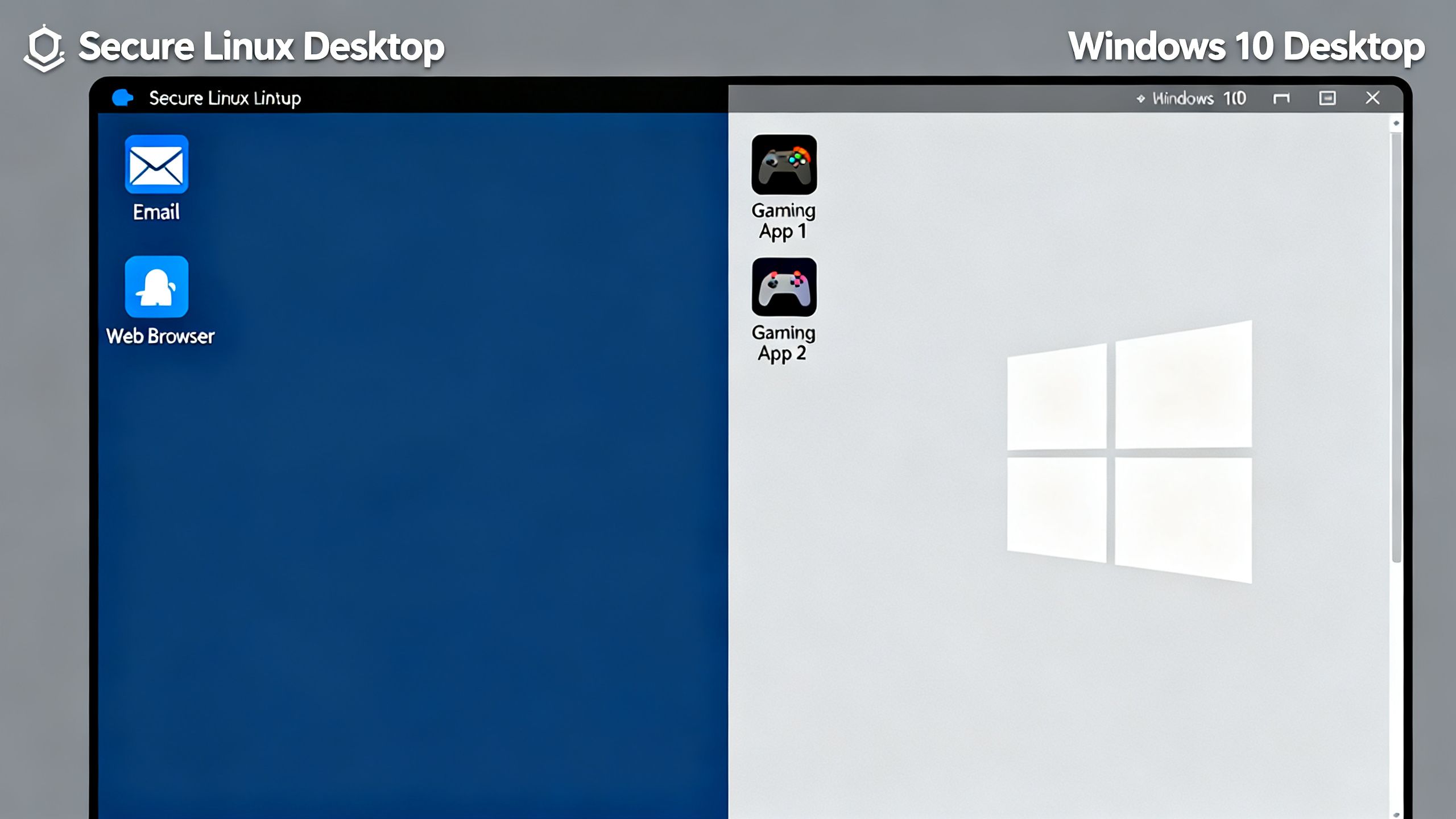
Go Part-Time: The safest way forward is to reduce your use of Windows 10. By setting up a dual-boot system with Linux, you drastically shrink the opportunity for hackers to attack.
Move Risky Apps: Shift your email and web browsing to your more secure Linux system. Since most attacks come from phishing emails and malicious downloads, this single step eliminates the biggest threats.
Create an "Immutable" OS: Using a feature called Unified Write Filter (UWF) on a specific version of Windows 10, you can make your operating system read-only. Any malware or unwanted changes are wiped away with a simple reboot.
Run Windows Apps on Linux: A surprising number of Windows games and applications can run on Linux using tools like Steam's Proton, Wine, and Bottles, further reducing your need to boot into Windows.
Breaking Down the Tech: Core Concepts
The core idea is to stop using Windows 10 as your everyday operating system. Instead, you'll treat it like a game console or a specialized tool that you only use for specific tasks, like running a particular piece of software or playing a certain game. For everything else—browsing, email, documents—you'll use a more secure OS like Linux. A real-world switch guide can show just how capable modern Linux distributions are.
How it Works
The magic trick here is making your Windows 10 installation "immutable." This means any changes made during a session are temporary. To do this, you need a specific version: Windows 10 IoT Enterprise LTSC. This version includes a tool called the Unified Write Filter (UWF).
When you enable UWF, it redirects all disk writes to a virtual space in your computer's memory. When you reboot, that memory is cleared, and your Windows installation reverts to its original, clean state. If you accidentally get malware, a restart makes it disappear. You can set up exclusions for specific folders, like a D: drive where you store game files or video projects, so your data is saved while the core system remains locked down.
This strategy also means moving high-risk activities away from Windows. A 2025 Verizon report noted that 82% of breaches involve phishing or stolen credentials, mostly from email. By handling email and web browsing on a separate, updated Linux system, you sidestep the biggest dangers. This compartmentalization is the key to long-term safety.
 TechMediaArch.com
Why it Matters
This approach gives you the best of both worlds. You get to keep your current computer, avoid the privacy issues of Windows 11, and still run that one essential Windows-only program. You're no longer dependent on Microsoft for security updates because your system is fundamentally more secure by design.
Think about it: you can have a locked-down Windows 10 setup just for gaming, while all your personal files, browsing history, and private communications live on a separate, secure Linux partition. This isn't just about saving money on a new PC; it's about taking control of your digital life and not being forced into an ecosystem you don't trust. Staying adaptable with technology is essential, as the AI divide is becoming permanent for those who don't evolve.
As you explore alternatives, you might even find powerful and free AI tools that replace some of your old paid software, making the switch even easier.
The Future of Running Windows 10 Safely
By rethinking how you use your computer, Windows 10 doesn't have to die in 2025. It can have a long and useful life as a part-time, specialized OS. This strategy forces you to build a more resilient and private computing plan for the long term. Eventually, you might find you don't need Windows at all.
What's the one Windows-only app that's keeping you from making a full switch?