You don't need expensive platforms to launch your own online course. A recent video breaks down a shockingly simple method to add a full-featured video course to any Blogger website, for free. It’s a game-changer for creators looking to share their knowledge without breaking the bank.
The Technical Breakdown
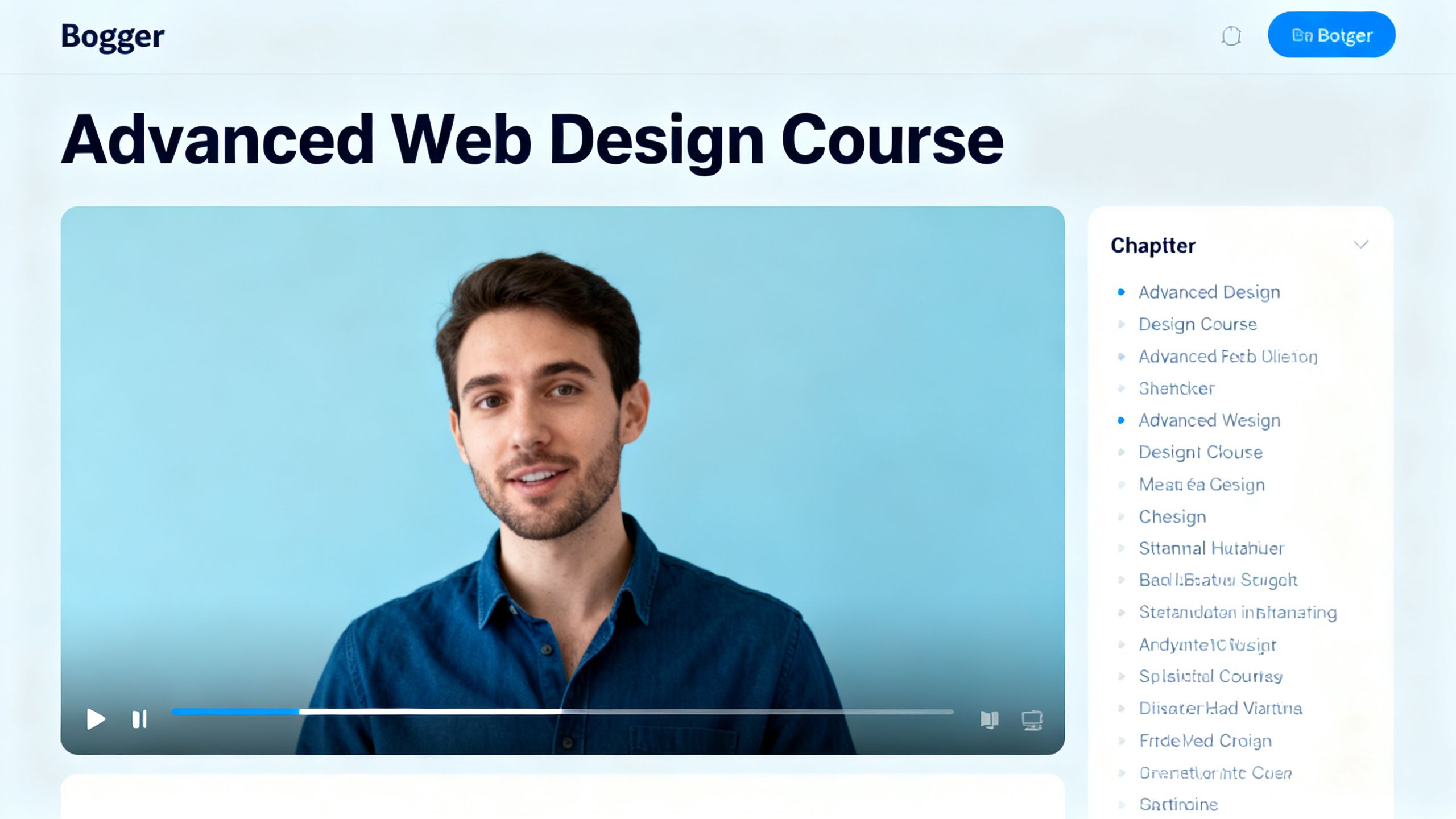
The magic behind this method is a single block of code containing HTML, CSS, and JavaScript. The process is straightforward: you create a new page on your Blogger site and paste it in. The customization happens in a small section of the code called course data.
Here, you define your course name, description, and then list your videos. For each video, you add the title, duration, and the unique YouTube video ID. Finding the ID is as simple as hitting the 'Share' button on a YouTube video and grabbing the string of characters at the end of the URL. Once your video data is in, the script automatically builds the course player, complete with a chapter list and progress tracking.
 TechMediaArch.com
One crucial step is tweaking the CSS to make it look good with your specific Blogger theme. The video shows how to add a few lines of custom CSS to hide your site's default header, sidebar, and footer, allowing the video course to take center stage. This is a powerful way to create an immersive learning experience for your audience, and it's much easier than you might think. For those looking to create the actual video content, there are even free AI tools that can help you create 15-minute videos from simple text prompts.
Why This Development Matters
This approach completely removes the financial barrier to entry for creating online courses. Anyone with a free Blogger account and videos on YouTube can now package their content into a professional-looking course. This isn't just about saving money; it's about accessibility and empowerment for creators everywhere.
By hosting a course directly on your blog, you provide immense value to your audience, encouraging them to stay on your site longer and view you as an authority in your niche. It transforms a simple blog into an interactive learning hub. This strategy pairs well with creating short, shareable clips to promote your course, a tactic detailed in The 30-Minute AI Podcast Clip Playbook.
Key Takeaways from the Video
No-Cost Platform: You can build a fully functional video course on Blogger without spending a dime on software or hosting.
Simple Implementation: The entire system runs on a single block of code that you copy and paste into a Blogger page.
Easy Customization: Adding your own videos is as simple as editing a list of YouTube video IDs, titles, and durations.
Professional Features: The script includes a progress bar, chapter navigation, and automatic 'mark as complete' functionality.
Theme Integration: A few lines of custom CSS are all it takes to hide distracting site elements and create a focused learning environment.
The Future of Creating a Free Video Course on Blogger
This manual copy-paste method is a fantastic starting point. As technology evolves, we can expect even more streamlined solutions. Imagine AI tools that not only help create the content but also automatically generate the course structure and code for you. Tools like the Claude Design Tool are already revolutionizing YouTube video creation, and it's easy to see that capability extending to course building.
For now, this Blogger method is an incredibly effective and efficient solution. It's a perfect example of how you can leverage simple, free tools to produce powerful results. As you grow, you might explore some of the 10 best AI tools to revolutionize your workflow and further automate your content creation process.