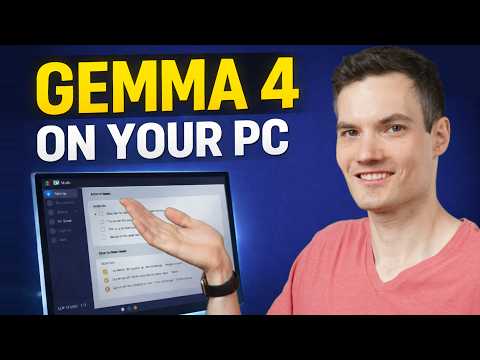
An AI is watching me through my webcam right now. Every few seconds, it checks my posture. If I start slouching, I get a notification on my Mac telling me to sit up straight. If you tried this with a service like ChatGPT, you'd be sending thousands of images of yourself to a server and paying a small fortune for it. But my setup is completely free and 100% private. Every photo stays on my computer. This is the power of local AI, and today I'm showing you how to build it step-by-step, even if you've never written a line of code.
Key Takeaways
You can run powerful AI models like Google's Gemma 4 on your own computer, completely free of charge.
Local AI guarantees your privacy because your data, like webcam images, never leaves your machine.
You don't need to be a coder; you can ask the AI to write the necessary scripts for you.
This project opens the door to building all sorts of custom, private AI tools.
Why Local AI is a Game-Changer
Cloud-based AI is amazing, but it has two big drawbacks: cost and privacy. Sending a constant stream of images to an online service for analysis would get expensive fast. More importantly, do you really want a company storing thousands of pictures of you at your desk?
This is where local AI changes everything. Google's new Gemma 4 model is a powerful tool that you can download and run directly on your own machine. It's part of a trend where artificial intelligence is moving faster than anyone expected, putting incredible capabilities into everyone's hands. Your data stays with you, and the cost is zero.
Getting Your Gear Ready
You don't need a supercomputer for this. The lightweight version of Gemma 4 can run on most modern machines.
Hardware You'll Need
I'm using a Mac with an M3 chip, but this will work on any Mac with over 8GB of RAM. For Windows or Linux users, a recent Intel Core i7 or AMD Ryzen 7 should handle it just fine. If you have a dedicated graphics card, things will run noticeably faster. For Mac users looking for a graphics boost, exploring options like Nvidia eGPUs can unlock new possibilities.
The Software
We need two free, open-source tools:
Ollama: This is a simple program that lets you download and run AI models like Gemma on your computer. No accounts, no API keys.
Gemma 4 (E4B model): This is the "brain" of our operation. It's a lightweight but capable vision model from Google that will analyze your posture.
Step-by-Step: Building Your AI Posture Coach
Ready to build? This is easier than you think. Just open the Terminal app on your Mac and follow along.
Step 1: Install Ollama
First, we need to get Ollama on your machine. It's just one command you copy and paste into your terminal. In seconds, the framework for running your local AI will be installed.
Step 2: Download the Gemma 4 Model
Next, we'll download the AI model itself. With Ollama installed, you just run another simple command to pull the Gemma 4 E4B model onto your computer. That's it. You now have a powerful Google AI living on your hard drive.
Step 3: Let the AI Write the Code
This is where the magic happens. I have no idea how to write a script that connects my webcam to an AI. So, I just asked Gemma.
I started the model through Ollama and gave it a plain English prompt: "Give me a Python script that captures a frame using my webcam, sends it to Gemma 4 to analyze my posture, and sends me a message back."
To my surprise, the lightweight model spit out a working script. It even told me what other small things I needed to install first. This is a perfect example of how you can use AI to develop effective workflow strategies and build things you never thought you could.
Step 4: Run the Script and Get Feedback
I saved the code as a Python file and ran it from the terminal. Immediately, it started using my webcam to check my posture every five seconds and told me I was slouching. It worked!
Making Your AI Coach Even Smarter
The basic script was great, but it could be better. So, I went back to my new AI coding assistant.
From Terminal to Desktop Notifications
Staring at a terminal window all day isn't practical. I asked Gemma to upgrade the script to send me an actual Mac notification when I'm slouching. Now, no matter what I'm doing, a small pop-up appears in the corner to remind me.
Reducing Notification Spam
The constant "Slouching!" notifications got annoying fast. So, I asked for one more upgrade: "Only notify me if I've been slouching consistently, like in eight of the last ten checks." This made the alerts much more meaningful and less distracting.
Beyond Posture: What Else Can You Build?
A posture coach is just the beginning. Once you have a private vision model running locally, the possibilities are endless. Think about a:
A baby monitor that alerts you only if your baby rolls into an unsafe position.
A pet cam that logs what your dog is up to all day.
A security camera that only notifies you when it sees a person, not a stray cat or a blowing leaf.
Focus monitor that checks if you're actually working or just scrolling on your phone.
All of these ideas are now possible to build for free, with total privacy. You can even fine-tune the model for highly specific tasks by providing your own data, making it even more powerful.
What This Means for the Future
Having a powerful AI that runs on your personal computer is a massive shift. It puts control back in your hands. You get to decide what data your AI sees, and you don't have to pay subscription fees to experiment with your own ideas. This project shows that you don't need to be a programmer to build useful AI tools. You just need a good idea and the ability to describe it. The age of personal, private AI is here.